Make the first three the night before: personalised colouring sheets, a finish-the-story comic and a mystery game, all from ChatGPT and printed on A4. Hand them out while you work. Save the last two for when you log off: a song in Suno with words they write, and a family gameshow that Codex builds for your TV. All five start from a short kid card, and you check every output before it reaches them.
I ran all five for the video on ChatGPT Pro and a paid Suno plan, pitched at ages 8 to 12. The kids' names are changed and they aren't on camera. This page covers what the tools made. I haven't measured how long any activity holds a child.
Every prompt is on this page. To print them or keep them on your laptop, the half-term AI activity pack has the same prompts and checks as a Word file.
How do you set up a kid card?
A kid card is a few lines about one child: first name, age, what they love right now, reading level and anything to leave out. Be specific. "Capybaras" gives ChatGPT more to work with than "animals".
I saved one card per child in a ChatGPT project, so every chat inside it already knows who each child is. If you'd rather keep those details out of ChatGPT, paste the card at the top of each chat instead. Keep the last two rules: first names only, and invented characters rather than real ones.
KID CARD
First name: [NAME]
Age: [AGE]
Loves right now: [3-5 specific things, e.g. capybaras, Minecraft redstone, baking, goalkeeping]
Pets or family in-jokes: [optional, e.g. the dog steals socks]
Reading: [confident reader / still building up]
Leave out: [anything that scares or upsets them]
Rules: first names only. Never ask for or use surnames, school, address or photos.
No real logos, brands or copyrighted characters in any picture. Invent your own.
1. How do you make a personalised colouring sheet?
Ask ChatGPT for black line art with closed shapes and no grey, with the child's name across the top in outline letters. The style rules are what turn a picture into something you can colour.
For Jonny, ChatGPT read his card and drew a Formula 1 car with doughnut tyres in a pit garage, an absurdly tall cake and Buddy the dog waiting for a taste. It spotted grey shading in its first version and redrew the page without being asked. Susie's anime-style page looked a bit young for a 12-year-old to me, so for older children ask for more intricate detail and a more grown-up scene.
Using the kid card, make a colouring page for [NAME].

Scene: [NAME]'s favourite thing doing something unlikely, e.g. [a capybara in goal saving a penalty at a Halloween match]. Make it funny.
Put "[NAME]" across the top in big bubble letters, outline only, spelled exactly like that.

Style rules:
- Black line art on a pure white background
- Every shape closed, so every area can be coloured
- No shading, no grey, no solid black fills, no textures
- Detailed enough for an 8-12-year-old: lots of medium areas, some small details, a busy patterned background
- Portrait, with a clear white margin all round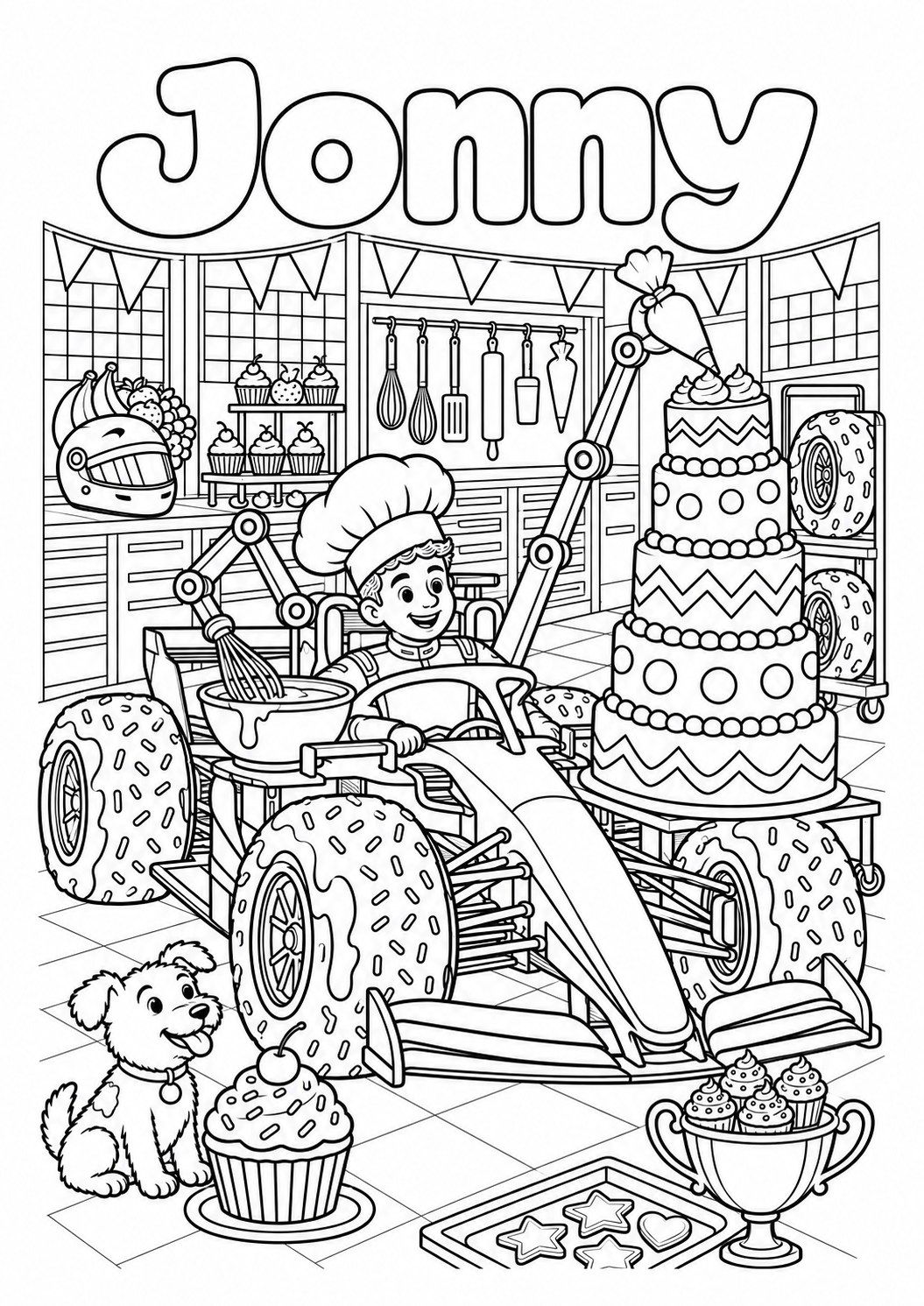
Same picture. Remove every bit of grey and solid black: every area must be white inside a black outline.

The name is misspelled. Redraw only the title so it reads exactly [NAME], letter by letter: [N-A-M-E].

Make all the lines thicker and remove details smaller than a fingernail.
Before you print, check the name on the image letter by letter. A greyscale print preview shows any grey fill it missed. Print on A4 with fit to page.
Make three more pages with the same character in these scenes: [scene 2], [scene 3], [scene 4]. Keep the character, style and rules identical.2. How do you make a finish-the-story comic?
Get the story first, then the page. Run the story prompt, then pick version A, where they write the words, or version B, where they draw the pictures.
My first run gave me the story as text and stopped there. I hadn't asked for the drawing, so that one's on me. The next prompt turns it into a page. Bobby's comic came back as Bobby and the Bouncing Ball, with Bobby and Buddy drawn the same way in each panel.
Using the kid card, write the opening of a comic for [NAME].

- Hero: [NAME] as [a hero version, e.g. a goalkeeper who can talk to animals]
- Sidekick: [pet or favourite animal]
- Setting: [a place they love]
- A problem starts in panel 1 and gets worse by panel 4
- End panel 4 on a cliffhanger. Do not solve it.

Give me:
1. One line describing how [NAME]'s character looks (hair, clothes, one prop), so we can keep it the same in every panel
2. Four panels: what we see, plus a caption of 12 words or fewer
No dialogue. [NAME] writes that.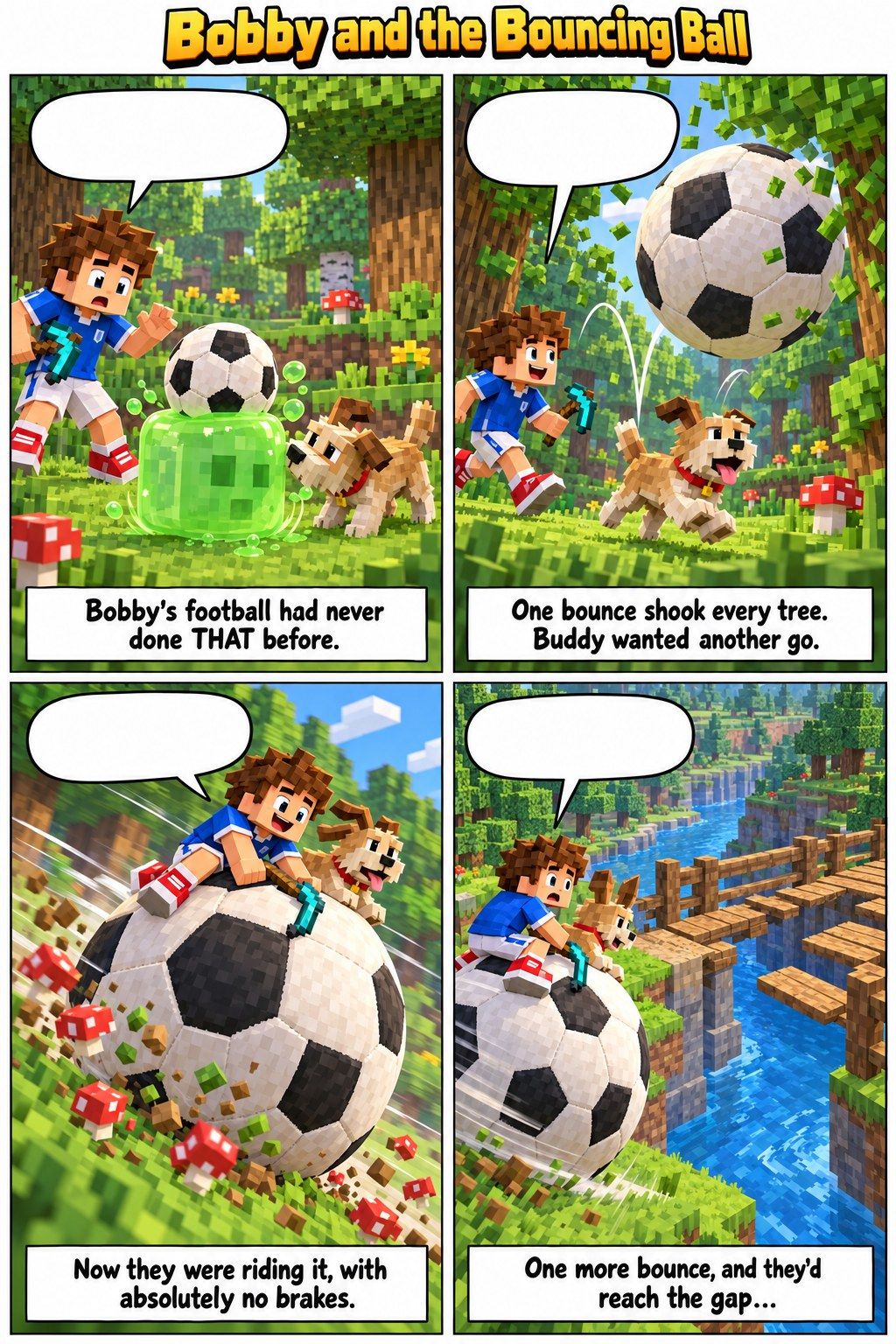
Draw the comic page from the story above, ready to print and colour.

- One portrait page, 6 panels in a 2 x 3 grid, thick black borders
- Panels 1-4: the four scenes. Caption in a small box at the top of each panel
- One empty speech bubble in each of panels 1-4, next to the speaking character. The bubbles must have no words in them
- Panels 5 and 6: empty white boxes. Write "Your ending" in small letters at the top of panel 5
- Keep [NAME]'s character identical in every panel, using the description above
- Black line art, white background, no shading, no grey
Version B asks for a PDF because the captions have to be exact, and text in a PDF doesn't get misspelt the way words drawn into an image can.
Make a printable comic template from the story above, as a downloadable A4 PDF, not an image.

- Title across the top: "[COMIC TITLE] starring [NAME]"
- 6 empty panels in a 2 x 3 grid, thick black borders
- Panels 1-4: the caption in a box at the top, the rest blank for drawing
- Panels 5 and 6: blank, with "Your ending" at the top of panel 5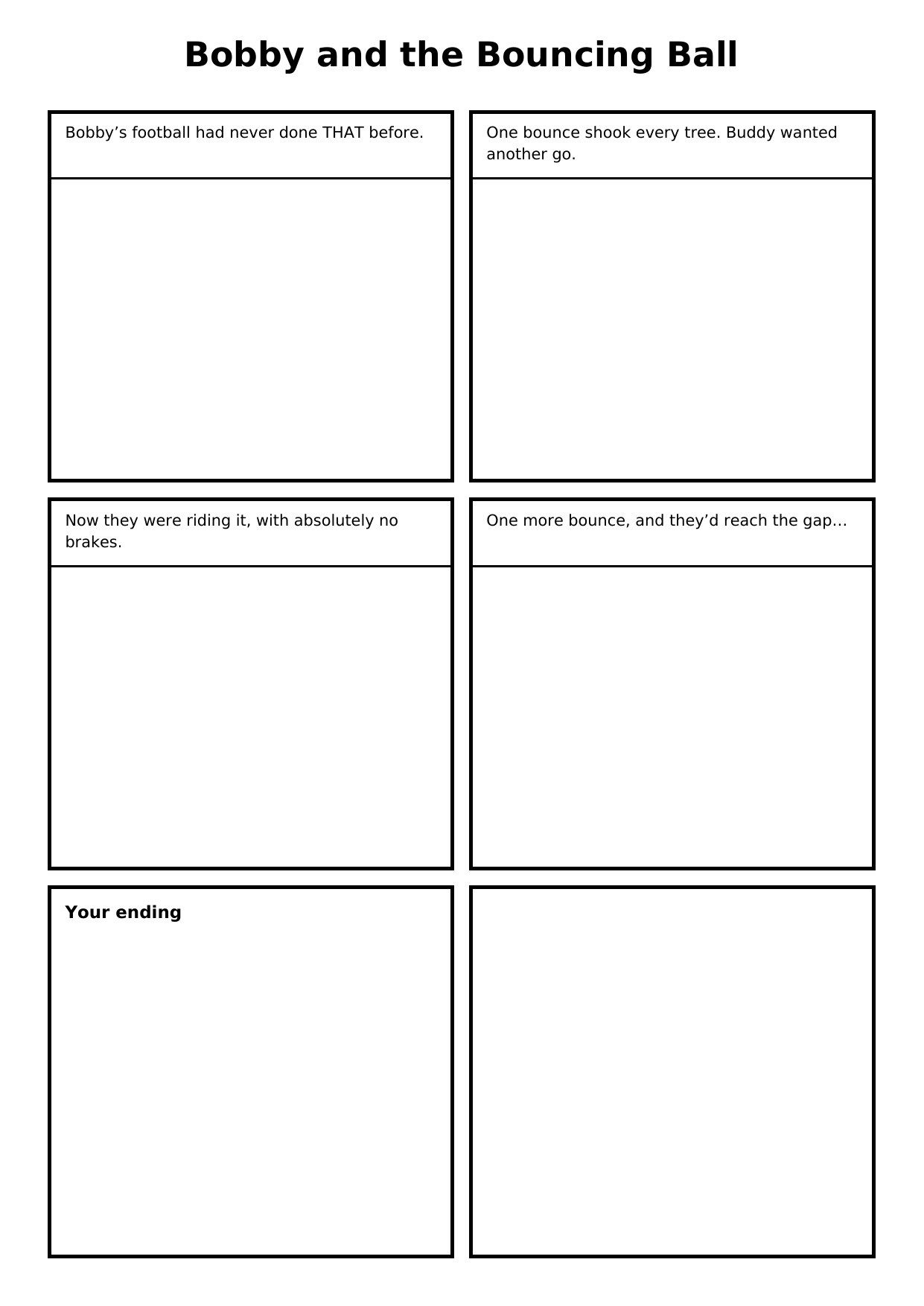
Check the bubbles are empty, the captions are spelled right and the hero looks like the same person in every panel. If the character won't hold after two fixes, switch to version B.
Remove all the words from the speech bubbles. Change nothing else.

In panel [3], [NAME] looks different. Redraw only panel [3] so they match panel 1: [paste the one-line description].
3. How do you build a mystery game they can play on their own?
Ask for the whole case in order: the answer for you, the suspects, a start card, eight clues with a hiding place for each, a notebook page and an accusation sheet. Mine was The Case of the Missing Halloween Sweets, with Buddy and a cast of household objects as suspects. I asked for about an hour of play. Ten minutes would still be a win.
Design a home mystery game: "The Case of the Missing Halloween Sweets".

Detectives: [NAMES], aged [AGES]. They'll play on their own for about an hour while I work, so every card must make sense without me.
Where: our house. Rooms they can use: [kitchen, living room, hall, bathroom, bedrooms, garden]. Off limits: [my office].
Suspects: 5, all from our house, e.g. [the dog, the hoover, the fridge, Grandma's teapot, the cat]. Give each a funny personality. No real people outside our house. Nobody gets hurt: someone just took the sweets.

Build it in this order:
1. PARENT ONLY: who did it, why, and how.
2. Suspects: name, one-line personality, and an alibi for 4-5pm. Exactly one alibi contains a lie that a clue exposes.
3. A start card I hand them, which sets the scene and leads to clue 1.
4. Eight clues, in the order they're found. For each: the room it's hidden in, the exact card text, and which suspects it rules out.
   - Each card ends with a puzzle that leads to the next room
   - Mix the puzzles: a riddle, a number code (A=1, B=2), a torn note to piece together, a simple map, a pawprint or fingerprint match, a timeline
   - Pitch it at ages [AGES]: hard enough to argue about, no adult knowledge needed
5. A table: clues down the side, suspects across the top, showing who each clue rules out. After clue 8, exactly one suspect must be left.
6. A detective notebook page: the same grid, empty, for them to fill in.
7. An accusation sheet: who, how, and which clue proves it.
8. A solution card for a sealed envelope: "Only open once you've accused someone."
The parent-only page told me Dusty the Hoover took the sweets, mistaking the shiny bag for rubbish. The printable version had the start card, clue cards to cut out and hide, suspect cards to draw on, the detective notebook and the accusation sheet. With more than one child, print a notebook page each.
Turn the game into a printable A4 PDF:
- Page 1: the start card
- Clue cards, 4 per page, with dashed cut lines and the clue number in the corner. Don't print the room name on the card
- Suspect cards, 2 per page, each with a box to draw the suspect
- The detective notebook grid and the accusation sheet
- Last page, titled PARENT ONLY: the hiding list (clue number and room) and the solution card
Large clear font, black and white, nothing that needs colour ink.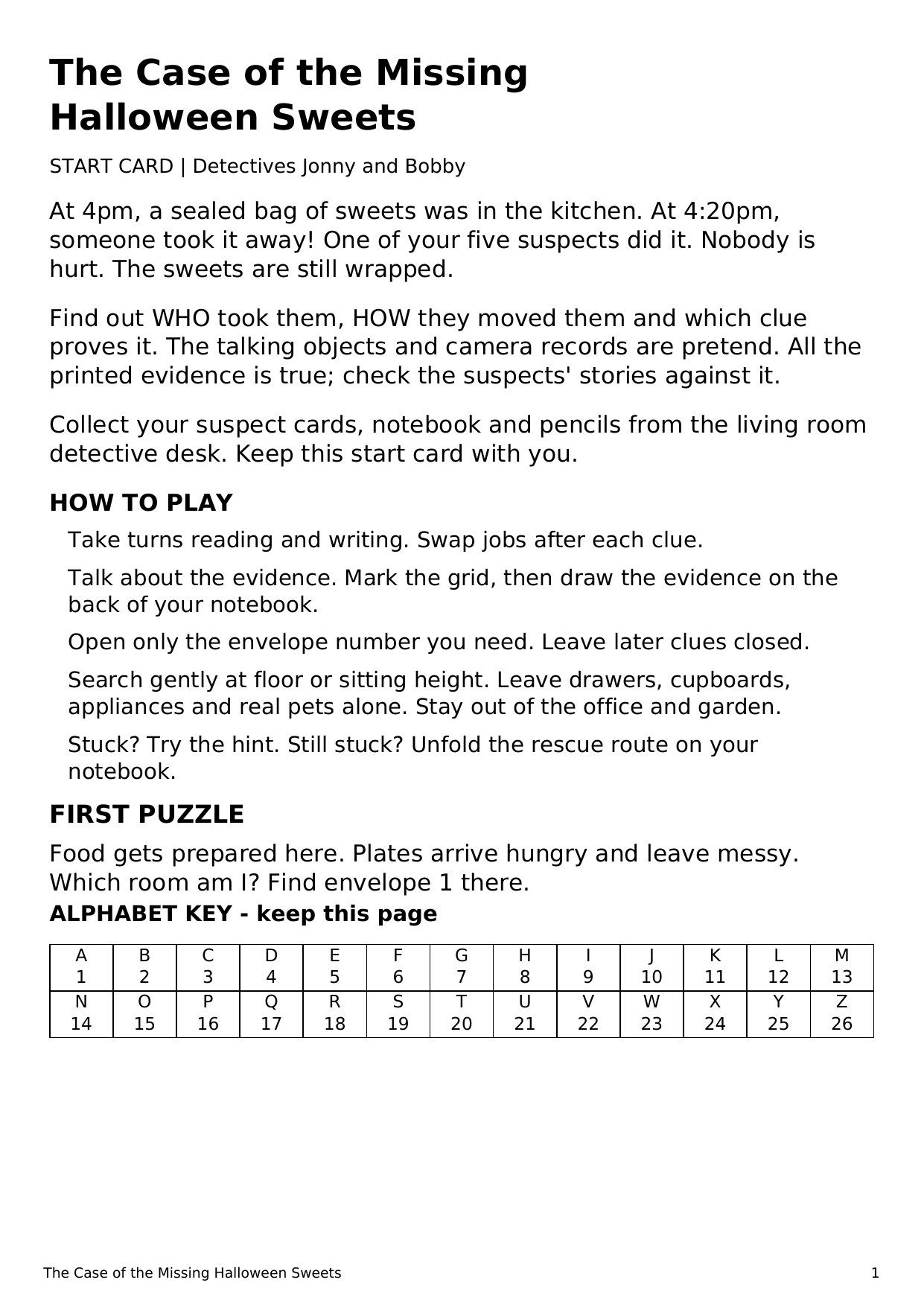
How do you check the mystery can be solved?
Give the clues to a chat that doesn't know the answer and see whether it can solve the case. Use a Temporary Chat: it stays out of your chat history and doesn't create or update memories, and choosing Unpersonalized stops it using the memories you already have. Paste in the suspect cards and clue texts only. No solution, no hiding list.
My check ruled suspects out clue by clue and finished on Dusty the Hoover, the right answer. That was one run. Run it twice in two separate temporary chats, because one lucky guess proves nothing, and solve every puzzle yourself before you hide anything. If the check fails, fix the case in the original chat and test it again.
You're a detective. Below are the suspects and every clue from a mystery game, in the order they're found. Work out who took the sweets.
Go clue by clue and say which suspects each one rules out. Then give one final answer.
If more than one suspect still fits, or two clues contradict each other, say so plainly instead of guessing.

[PASTE THE SUSPECT CARDS AND CLUE TEXTS ONLY]I tested the clues in a fresh chat. After all eight clues, both [SUSPECT A] and [SUSPECT B] still fit. Change one clue so [SUSPECT B] is clearly ruled out, without making the answer obvious before clue 6. Show me only the changed clue and the updated table.Which two puzzles are most likely to stump a [AGE]-year-old, and why? Write a hint card for each that nudges without giving it away.4. How do you help them make their own song in Suno?
They write the words, ChatGPT tidies the layout without rewriting anything, and you run Suno. Suno's terms set a minimum age of 13, so this one is for doing together. Do it before the gameshow: the song becomes the theme tune.
Print the sheet and hand it over with a pencil. The words are theirs. Don't let ChatGPT write the song.
Using the kid card, make a one-page A4 songwriting sheet for [NAME] as a printable PDF.
- Boxes for: song title, what or who the song is about, and the style (pick one: rock, pop, rap, country, gameshow theme)
- Verse: 4 numbered lines to write on
- Chorus: 4 numbered lines, with a note saying "the bit everyone shouts"
- A rhyme helper: 6 starter words, each with 4 rhymes, using words from things they love
- Big clear font, black and white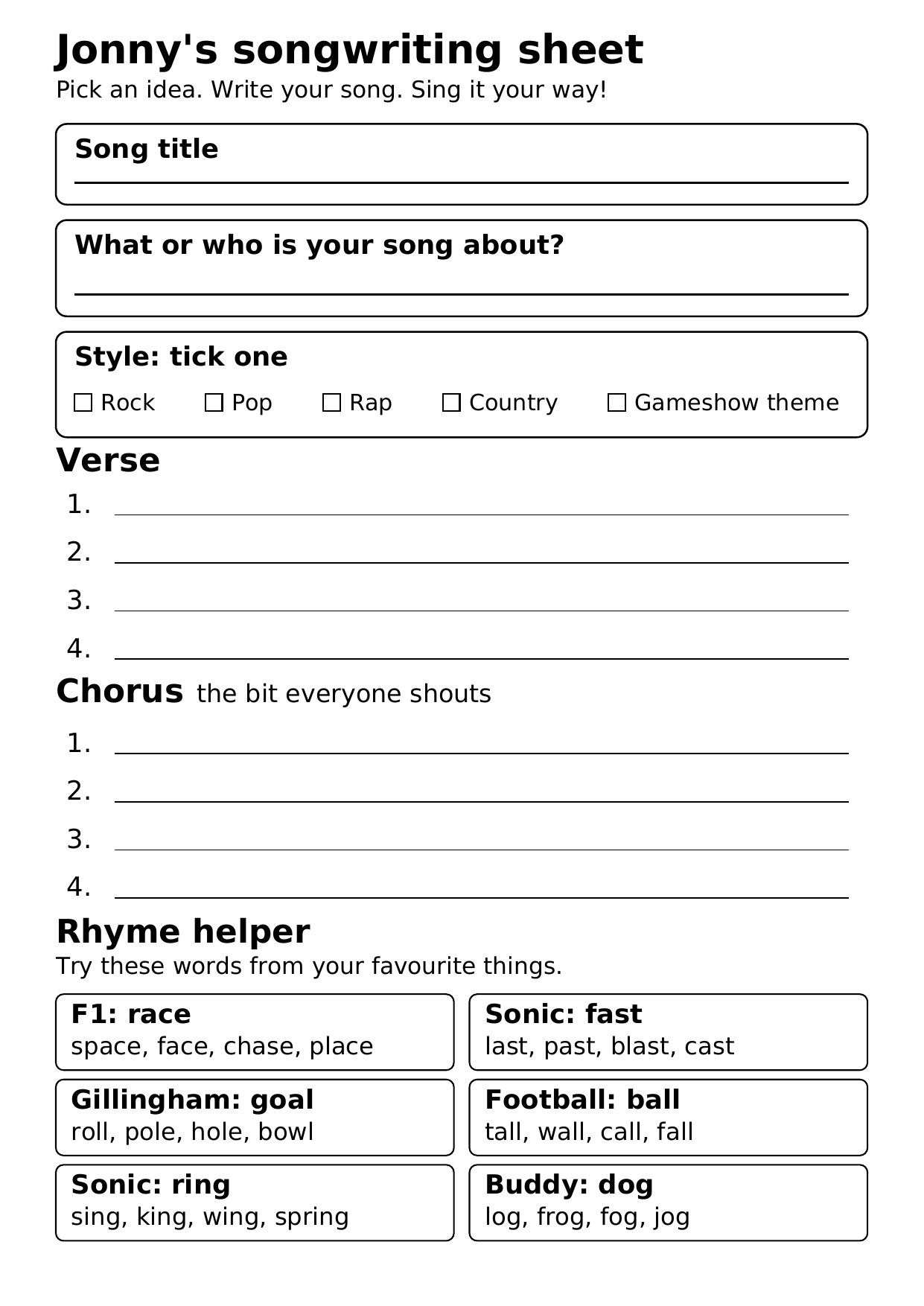
In Suno, switch on Advanced so you can see the Lyrics, Style and Title boxes. Paste the formatted lyrics into Lyrics, add their title and pick a style. For a gameshow theme, this style line works:
[NAME] wrote these song lyrics. Format them for Suno without rewriting them.
- Keep every word they wrote. Fix spelling only
- Add Suno structure tags: [Intro], [Verse], [Chorus], [Outro]
- If they wrote one chorus, repeat it after the verse and again at the end
- If a line is much longer than the others, tell me which, but don't change it
Then suggest three short Style of Music descriptions that suit the song, with no real artist names.

[TYPE IN THEIR LYRICS EXACTLY AS WRITTEN]
Suno made two versions. In mine, it couldn't pronounce Gillingham. If it says a name wrong, spell the name the way it sounds in the lyrics and generate again. Hold the printed sheet next to what went into Suno as well. If ChatGPT "improved" one of their lines, put it back.
Since 3 September 2026, Suno's free plan gives 7 lifetime downloads for personal, non-commercial use. Pro and Premier add monthly downloads with commercial rights, according to Suno's downloads FAQ. A song for the family at home counts as personal use. I used a paid plan because the track went into a published video.
upbeat 1980s TV gameshow theme, brass stabs, funky synth bass, punchy drums, big shout-along chorus, 128 bpm, bright and cheeky5. How do you build a family gameshow with Codex?
Codex writes the questions from the kid cards, checks them and builds the game as a web page that runs from a folder on your laptop. You don't need to know any code. Plug the laptop into the TV, give each child a key as a buzzer, and you host.
Codex comes with ChatGPT plans, Free and Go included, with usage limits that vary by plan, according to OpenAI's Using Codex with your ChatGPT plan.
Mine became The Family Buzz: 26 questions across four rounds, buzzer keys A, L and Z, a host sheet with every answer, and the theme playing on the title screen. I'd saved the song under a different name and Codex found it anyway, but calling it theme.mp3 saves it guessing. Double-click index.html and the game opens in your browser. Nothing goes online. It's a set of files on your computer.
- Make an empty folder and save the song from activity 4 in it as theme.mp3.
- Open the ChatGPT desktop app and pick Codex from the top-left menu.
- Start a new project and choose the empty folder. When Codex asks whether to trust it, say yes: it's the folder you just made.
- Attach the kid cards, paste the prompt and send it.
Build a family gameshow in this folder. I'll run it on a laptop plugged into the TV and host it. The kids play.

INPUTS
- The kid cards I've attached give each player's name, age, reading level and interests. Read them first. If you can't open one, stop and tell me.
- Show name: [SHOW NAME]
- If theme.mp3 is in this folder, it's the show's theme tune.

1. WRITE THE QUESTIONS (questions.js)
Rounds, in this order:
- One round per kid, built on the interests on their card, 6 questions each, pitched at that kid's age and reading level. Name the round after the kid and set "player" to their name
- "Everyone" round: 8 general knowledge questions, some of which the youngest player could get
- "Family round": 5 entries with q set to "TODO" for me to write. The game skips any question whose q is still "TODO"
Rules:
- Four options, one correct, the others plausible. No trick questions
- Spread the correct answers evenly across the four positions
- Difficulty 1, 2 or 3, mixed through each round
- Only facts that won't change. Nothing about current standings, champions, squads, transfers, records, prices or "the latest" anything. For sport, stick to history, rules, colours, grounds and nicknames
- Short questions: the youngest player should understand it hearing it once
- A one-line note with each answer saying why it's right
Format:
window.QUESTIONS = [
  { round: "Round name", player: "Name or empty", q: "Question?", options: ["A", "B", "C", "D"], answer: 0, difficulty: 1, note: "Why it's right" }
];
"answer" is the position of the correct option, starting at 0.

2. CHECK THEM (QUESTION-CHECK.md)
- If you can search the web, verify every answer. If you can't, say so at the top of the file.
- Replace any question you think is wrong. List any you're still not certain about, with the reason. I'll check that list myself before we play.

3. BUILD THE GAME
Must
- Plain HTML, CSS and JavaScript. No frameworks, no build step, no server, no internet
- Works by double-clicking index.html (file://), so load questions.js with a script tag, not fetch
- Files: index.html, style.css, game.js, questions.js, host-sheet.html

Players and buzzers
- Setup screen: 2-4 players, names filled in from the kid cards (editable), a colour each
- Buzzer keys: Player 1 = A, Player 2 = L, Player 3 = Z, Player 4 = M. Show each player's key on screen
- First buzz wins and locks out everyone else until I reset
- Head start: in a player's own round, their buzzer opens 3 seconds before everyone else's, with a countdown on screen. This keeps it fair across ages

Host controls (me)
- Space: next question / reveal
- C: buzzing player is correct. Points by difficulty: 1 = 100, 2 = 200, 3 = 300
- X: buzzing player is wrong, loses 50, and buzzers reopen for the others
- R: reset buzzers. U: undo last score change. K: skip this question. S: sound on/off
- After each question, show the right answer and its note

Look
- Readable from a sofa: question text at least 48px on a 1080p screen, high contrast
- Title screen with the show name, a card between rounds, scoreboard always on screen
- Sound effects made with the Web Audio API (buzz, correct, wrong), so there are no audio files
- If theme.mp3 exists, play it on the title screen after the first key press. If it's missing, carry on silently
- Final screen: winner, all scores, confetti

Host sheet
- host-sheet.html: every question in play order with its answer, laid out to print on A4, so I can judge answers before they're revealed

4. TEST AND REPORT
- Check it opens from file:// with no console errors
- Check buzz lock-out, head start, wrong-answer reopening, undo, skip, and that TODO questions are skipped
- Tell me what you tested, anything you couldn't, and how many questions are in each round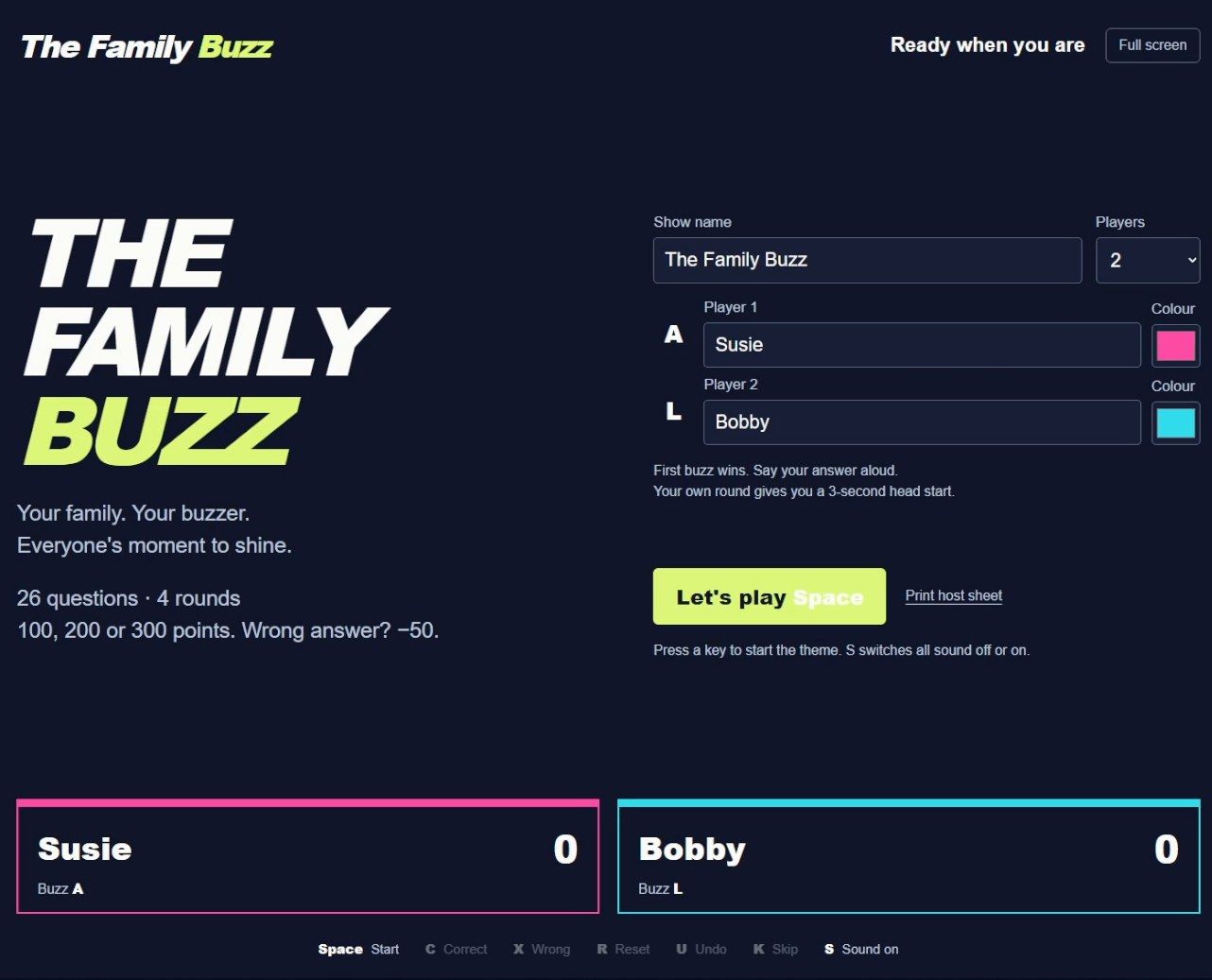
Before you play, open QUESTION-CHECK.md and check every question on it yourself, plus five more at random. Codex checking its own answers proves nothing, and a wrong answer in front of the kids loses the room. Write the family round yourself, print the host sheet, and test it on the TV with two people pressing buzzers at once, because some laptop keyboards drop keys pressed together.
On the TV, long questions run off the screen. Shrink long questions to fit, but never below 36px.

When two players buzz almost together, the wrong one sometimes wins. Make the first keydown win and ignore every other buzz until I press R.
What do you check before any of it reaches them?
- Check every name on every image, letter by letter. Image tools still get text wrong.
- Print preview colouring pages in greyscale to catch any grey fill.
- Comic: bubbles empty, captions spelled right, the hero the same person in every panel.
- Mystery: the solve check passed twice in temporary chats, and every puzzle solved by you before you hide it.
- Song: every word they wrote made it into Suno, and their name is said right.
- Gameshow: QUESTION-CHECK.md cleared, five more answers checked, host sheet printed, two people buzzing at once on the TV.
- First names only on anything you print. No surnames, school, address or photos.
Related
- Plan half-term cover and days out with AI
- Personalised bedtime stories with ChatGPT (video)
- Half-term AI activity pack (Word file, free)
Sources
- OpenAI, Temporary chat in ChatGPT, checked 19 October 2026.
- OpenAI, ChatGPT Work and Codex, checked 19 October 2026.
- OpenAI, Using Codex with your ChatGPT plan, checked 19 October 2026.
- Suno, Terms of Service, effective 3 September 2026, checked 19 October 2026.
- Suno, Upcoming Changes FAQ: Downloads, Models, and Terms of Service, edited 10 August 2026, checked 19 October 2026.